![Mx and SD.png]](https://solutions.munetrix.com/hs-fs/hubfs/Mx%20and%20SD.png?height=40&name=Mx%20and%20SD.png)
⏰ Estimated Time: 2 minutes
Create a New Schedule for a New Building
- Open the Public Safety Drill App.
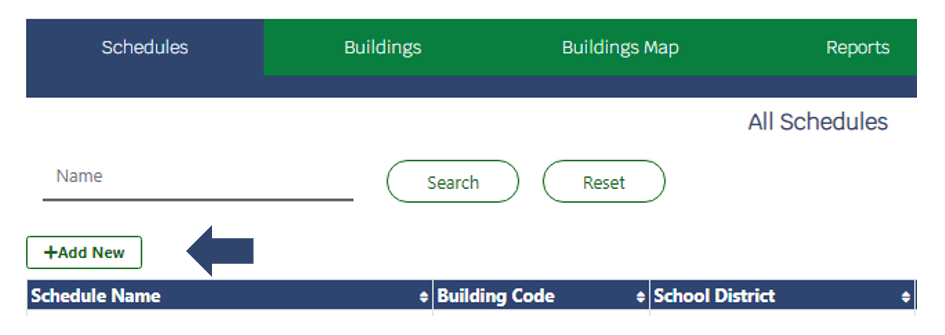
- On the Schedules tab, click +Add New.
- Add the required information and click Save.
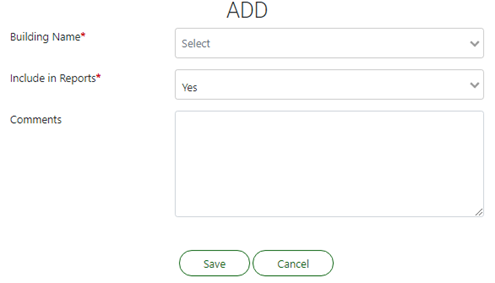
✏️ Note: Required fields are denoted by a red * at the end of the field name.